.png)
Event Setup
2 - 12 months from event
Auction & Guest Management
1 week - 2 months from event
Merchant Account
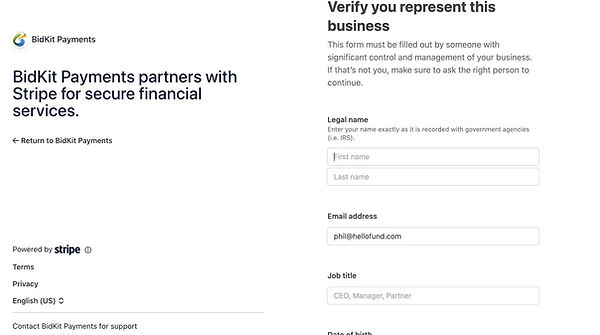
Use this section to set up your merchant account so your organization can securely process credit card payments through HelloFund Auction called BidKit Payments, powered by Stripe.
To set up your Merchant Account, navigate to:
Software Settings > Auction Settings > Payment
-
Select Merchant Registration
-
Confirm your business address and select a Business Category

3. If you have an existing account, choose Yes, Use Same Account; otherwise continue below.
4. Click Merchant Account
5. Generate Update Link, then click on the link to open in a new tab
Bank Account Info
Select Merchant Account
-
Scroll to bottom of page and enter Account and Routing Number, then hit Add Account to complete

Your first-ever transaction with BidKit payments will have a 7-day hold.
-
Any other transactions will have a 2-day hold, deposited automatically on Wednesdays unless changed.
-
To see any unreconciled or reconciled transactions go to the Merchant Report. These funds will be unreconciled until they are automatically transferred to your specified bank account every Wednesday.